Online CD Renewal Process
04/20/2026
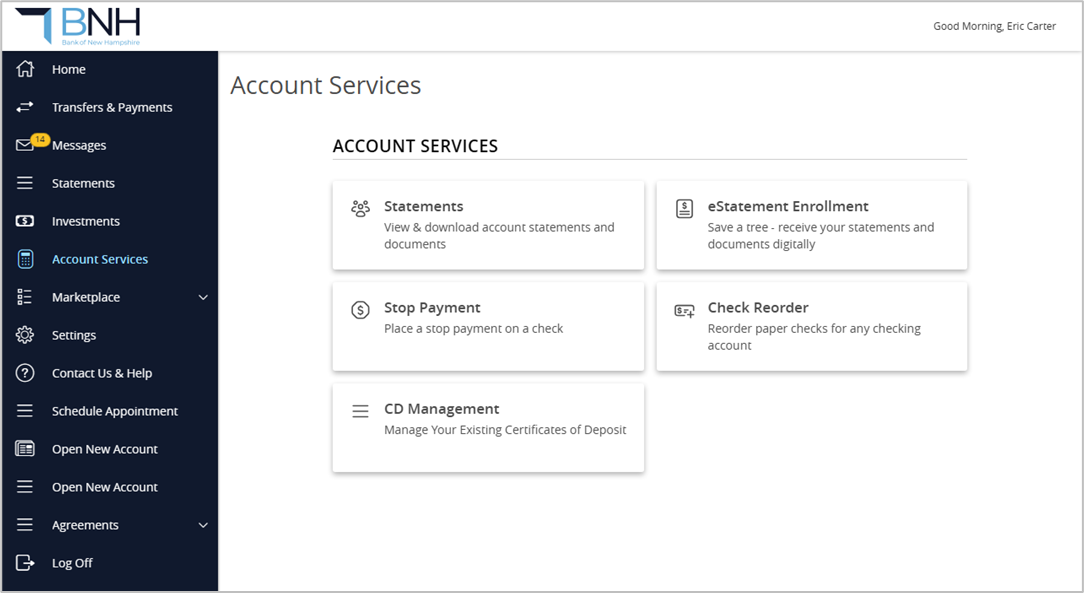
1. Within Online/Mobile Banking, click Account Services from the menu and then CD Management.
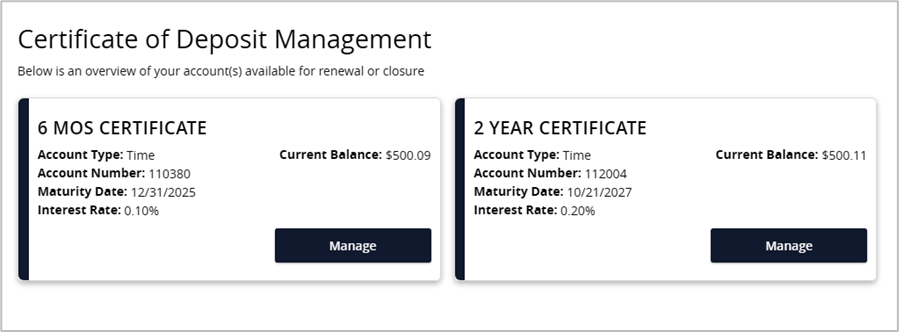
2. All certificates owned will be displayed on this page. Click Manage to view options.
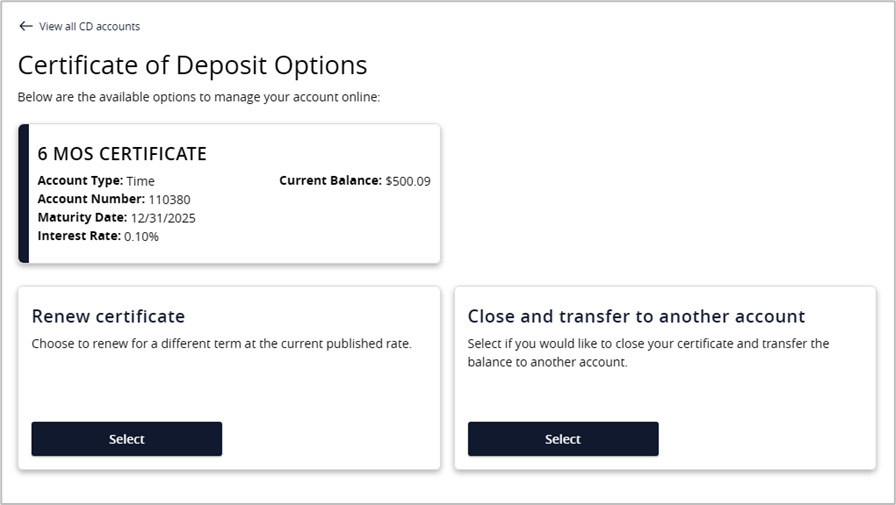
3. You will have two options to select from, Renew Certificate or Close and Transfer to Another Account.
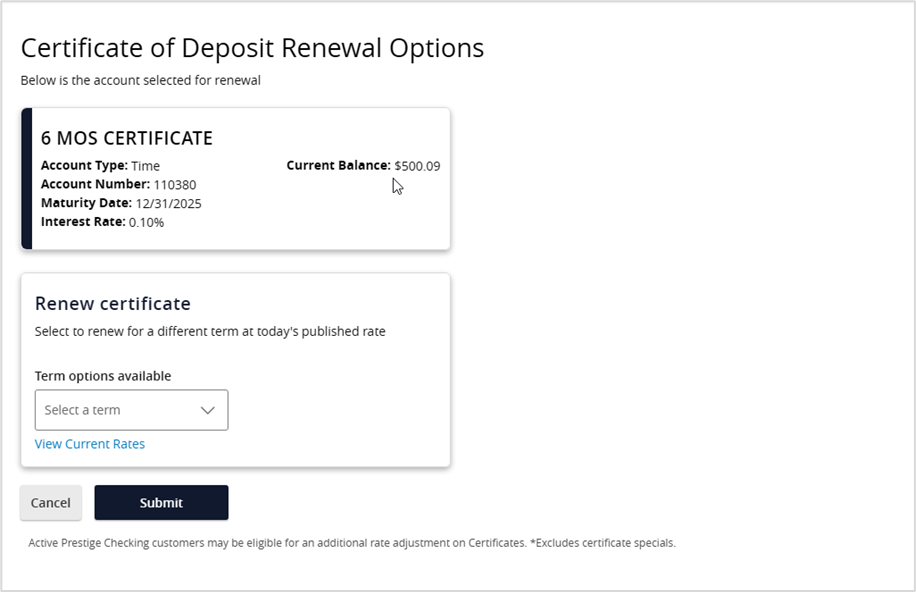
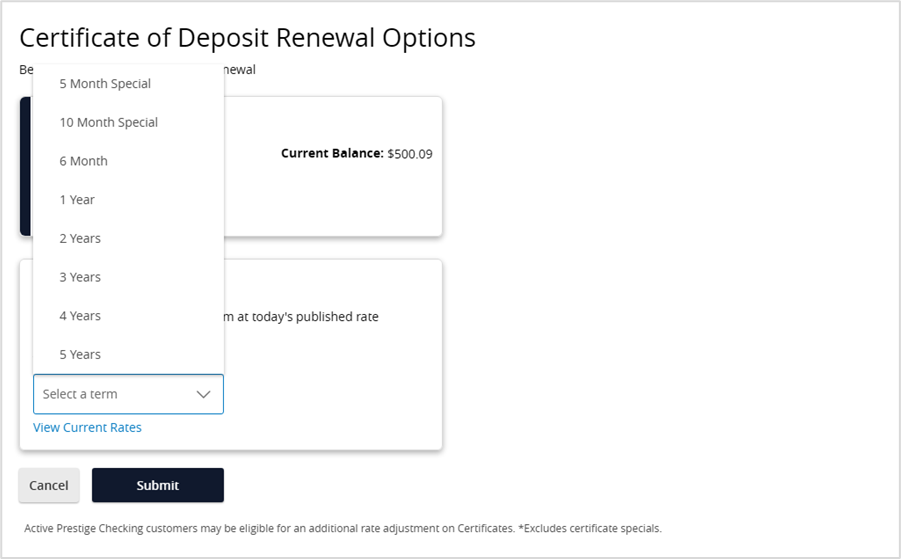
4. If the renew option is selected, simply select the term you want from the drop-down.
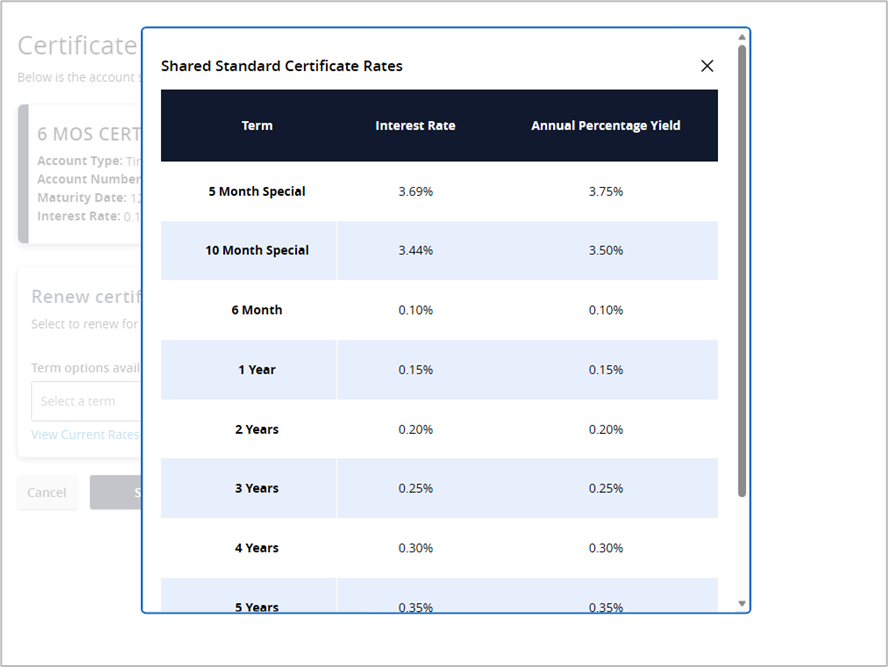
5. You then can view the current rates by clicking the View Current Rates link.
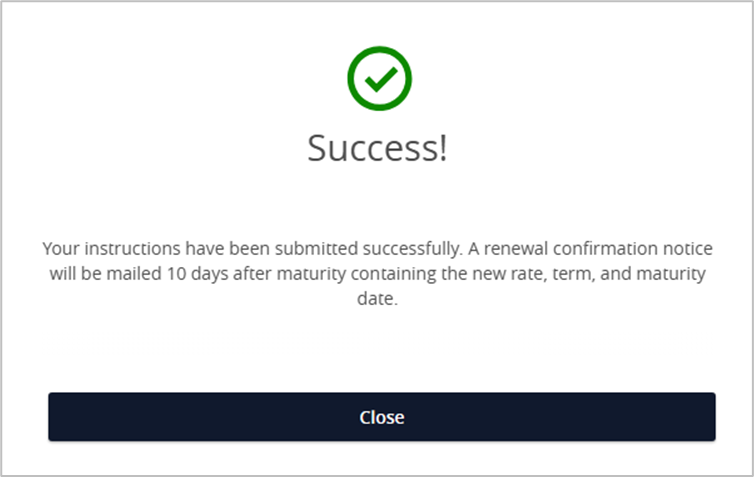
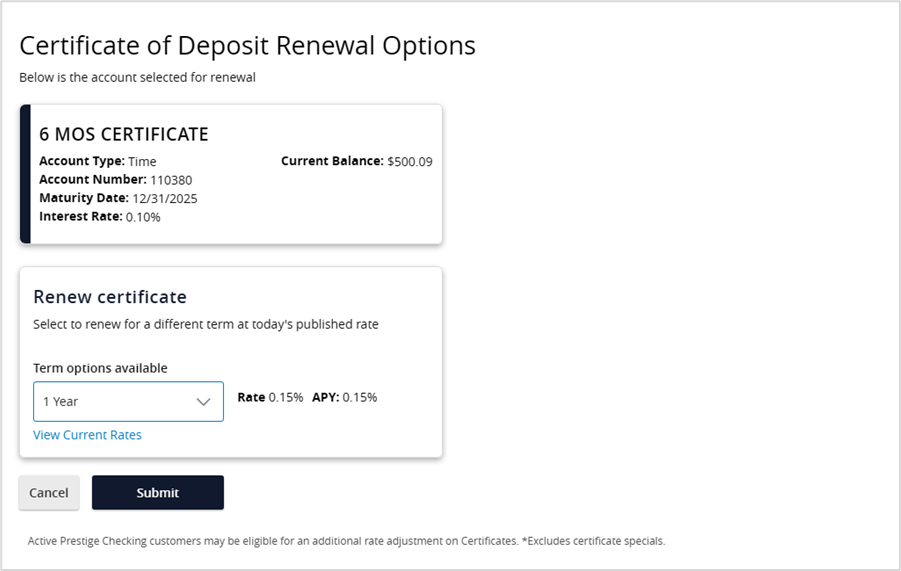
6. Once the term is selected, the Rate and APY will display. Clicking Submit will send the request for renewal.
7. A confirmation screen will be displayed once the request has been submitted.